
If you’ve built a large number of Flows in Salesforce, there will eventually come a time when you need to clean up legacy Flows that are no longer in use, especially in a sandbox environment. During this process, you may encounter a generic error message when trying to delete a Flow, with little or no useful detail explaining the cause like below:
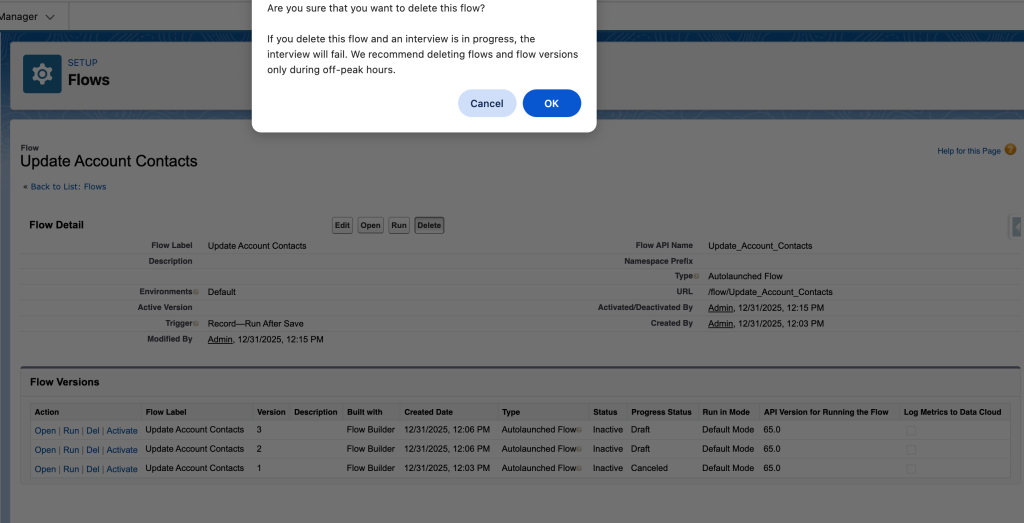
It even shows Picklist Value Sets in the header out of nowhere

In many cases, the issue is caused by failed Flow interviews that still exist from previous testing. To investigate, navigate to Setup → Paused and Failed Flow Interviews, and make sure the list view is set to All Flow Interviews.
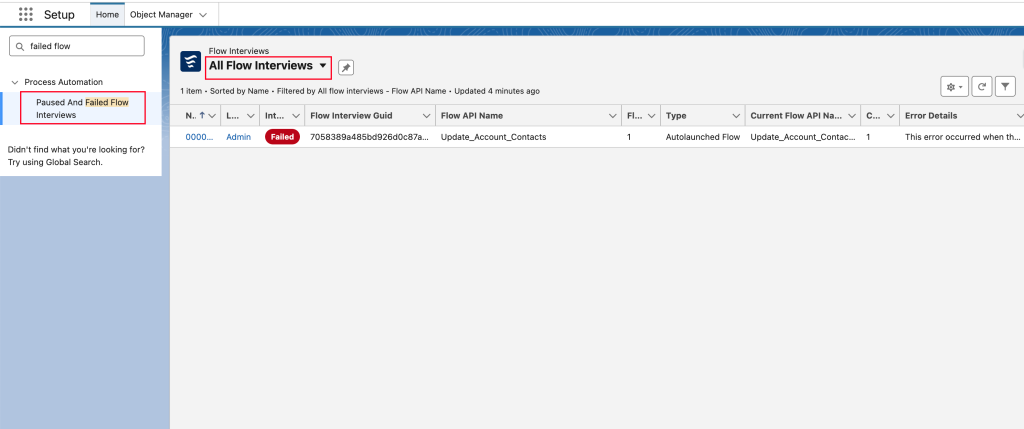
You will likely find one or more failed interview instances related to the Flow you’re trying to remove.
If there are too many failed interviews to clean up manually, you can use SOQL to identify them more efficiently:
SELECT Id, InterviewLabel, InterviewStatus FROM FlowInterview WHERE InterviewStatus = 'Error'
OR you can filter the list view, like filter by Flow API Name column, which can’t be done directly in SOQL instead.
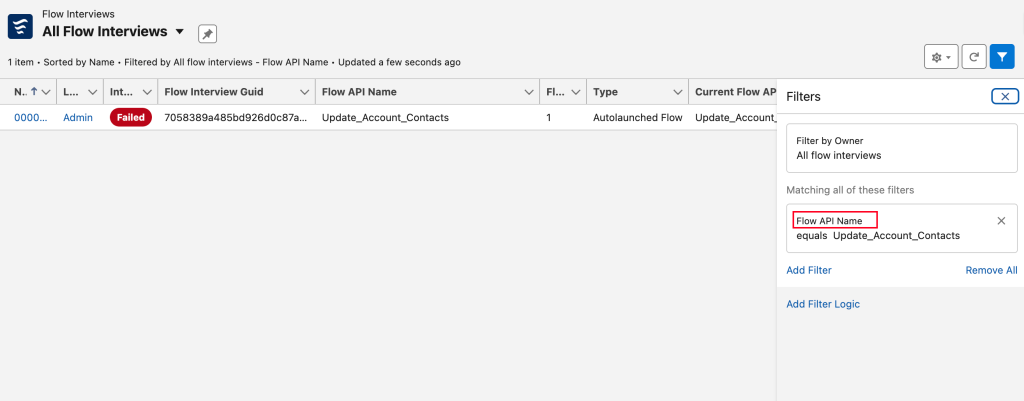
Once you’ve identified the relevant error interviews, delete them. Then return to the Flow detail page, confirm that all versions of the Flow are inactive, and try deleting the Flow again. With the failed interviews cleared, you should now be able to delete the Flow successfully.
Ref: Incorrect / Unclear error message throwing while deleting a flow
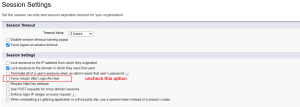

Salesforce should really give clear msg on such cases, I wasted time on this before..