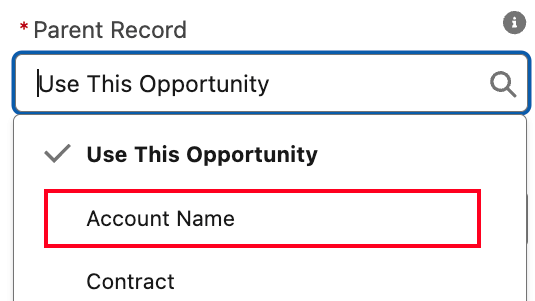
In Salesforce Lightning, you can always display related data on a record page, using some Related List component. By default, this component fetches related child records of the current record.
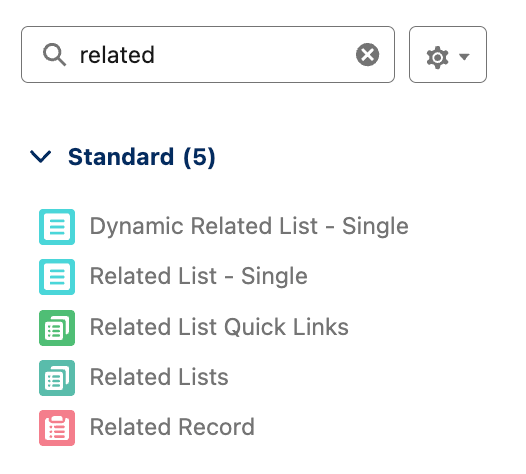
But do you know you can actually specify the parent record of Related List component as other lookup fields of the current record?
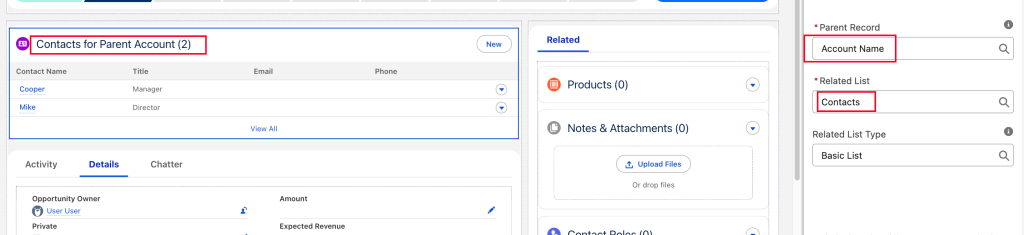
For example, you might be working on an Opportunity record and want to see all the Contacts associated with its parent Account. Because Contact and Opportunity are not directly linked by a lookup or master‑detail relationship, you won’t see Contacts in the Opportunity page’s related lists if you leave “Use This Opportunity” as Parent Record in the Related List configuration.
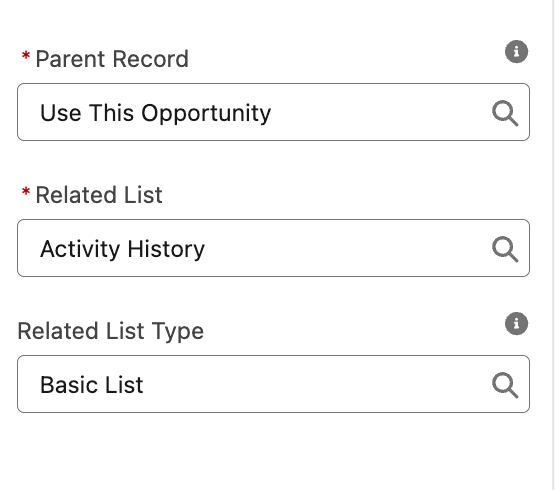
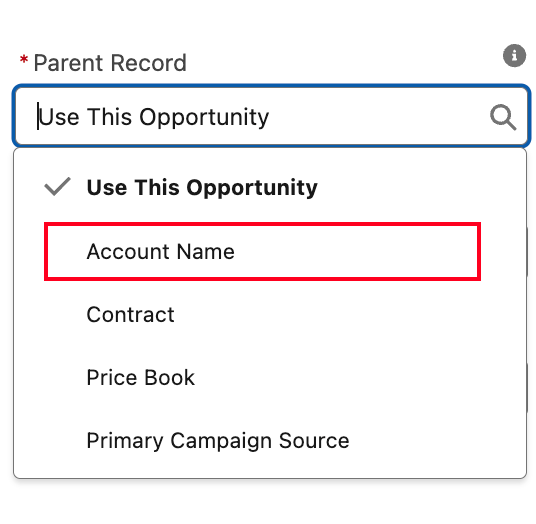
However, you can simply change the Parent Record to another lookup field on the current object. In this case, Account is a parent lookup of Opportunity. By selecting Account Name as the Parent Record, you can display the Account’s Contacts directly on the Opportunity page.
Recap
Lightning’s related list components let you choose:
- Related lists belonging to the current record, and
- Related lists belonging to a parent record referenced by a lookup or master‑detail field.
Since Opportunity is linked to its parent Account already, and Account has its own related Contacts list, you can show that list on the Opportunity page by setting the parent to the lookup field.
Tips for Better Results
If you want filters or custom columns, use the Related List‑Single component instead of the standard related list block.